


Description
Maxspect TrueReef Filter Lens - Android
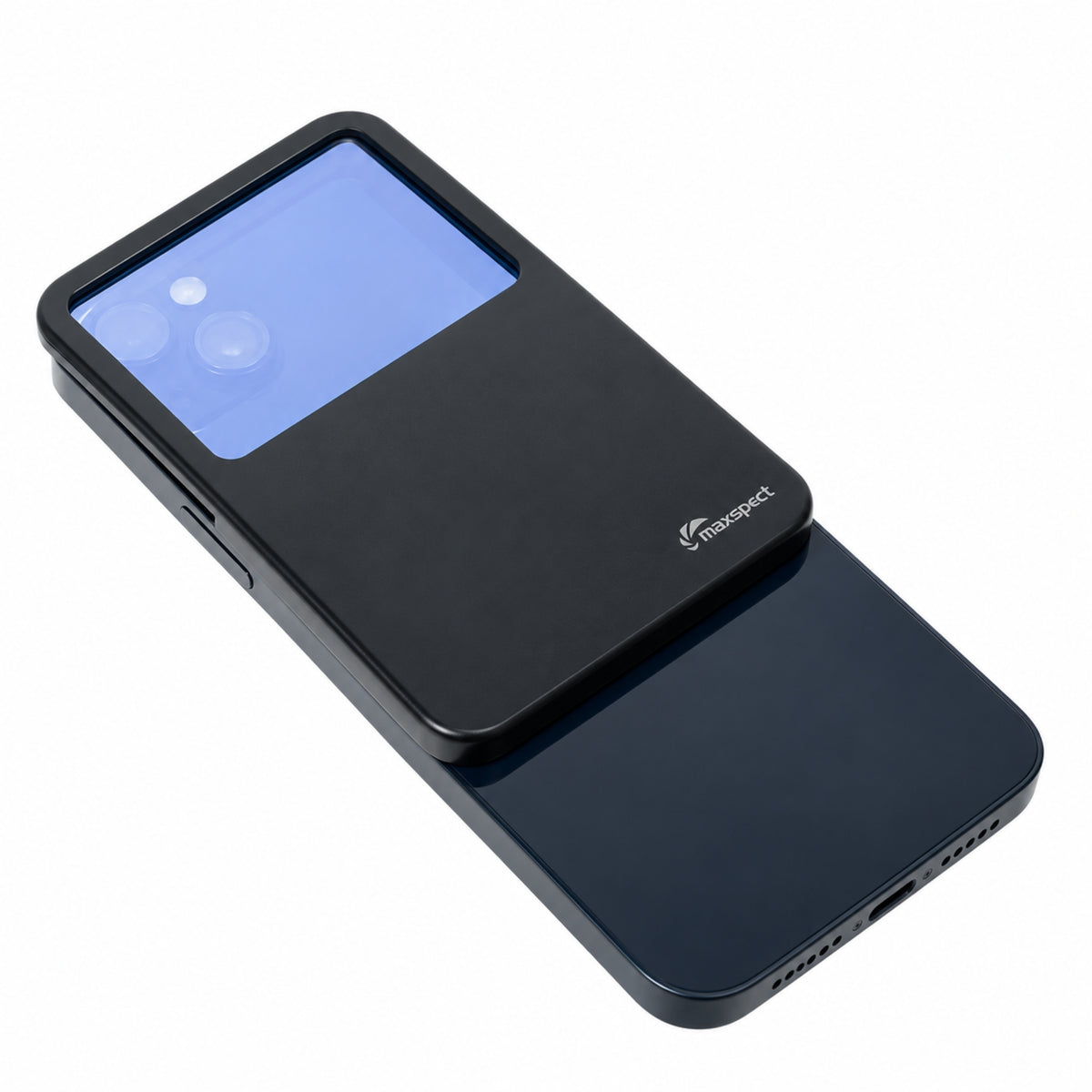
Maxspect TrueReef Filter Lens - Android is a premium aquarium photography lens designed to help reef keepers capture clearer, more natural-looking coral and marine aquarium photos under blue reef lighting. Created for Android phones with a wide range of camera layouts, this filter lens helps reduce the heavy blue cast that often appears in aquarium photos while preserving the fluorescent colour and natural “pop” that makes corals stand out.
Unlike traditional orange or yellow aquarium phone filters that can remove too much blue light and flatten coral fluorescence, the Maxspect TrueReef Filter Lens uses an advanced blue filter monomer coating to reflect a percentage of high-energy visible blue light. This helps balance aquarium photos without stripping away the vibrant fluorescent colours produced under near-UV and reef-spectrum lighting.
Key Features
- Premium aquarium photography filter lens for Android phones
- Designed for reef aquarium and coral photography
- Helps reduce heavy blue cast from reef lighting
- Preserves coral fluorescence and natural colour pop
- Uses blue filter monomer coating technology
- Reflects a percentage of HEV blue light
- Larger lens coverage area for varied Android camera layouts
- Helps create frame-free aquarium photos
- Lightweight plastic body
- High-quality glass lens construction
- Suitable for multiple Android fitting methods
- Ideal for coral, marine fish and reef tank photography
Product Overview
Maxspect TrueReef Filter Lens - Android is designed to solve one of the most common problems in reef aquarium photography: overly blue images. Reef aquariums are often lit with strong blue, royal blue and near-UV lighting to enhance coral fluorescence, but phone cameras can struggle to balance this spectrum correctly. The result is often a washed-out, heavily blue image that does not accurately show the aquarium’s true colours.
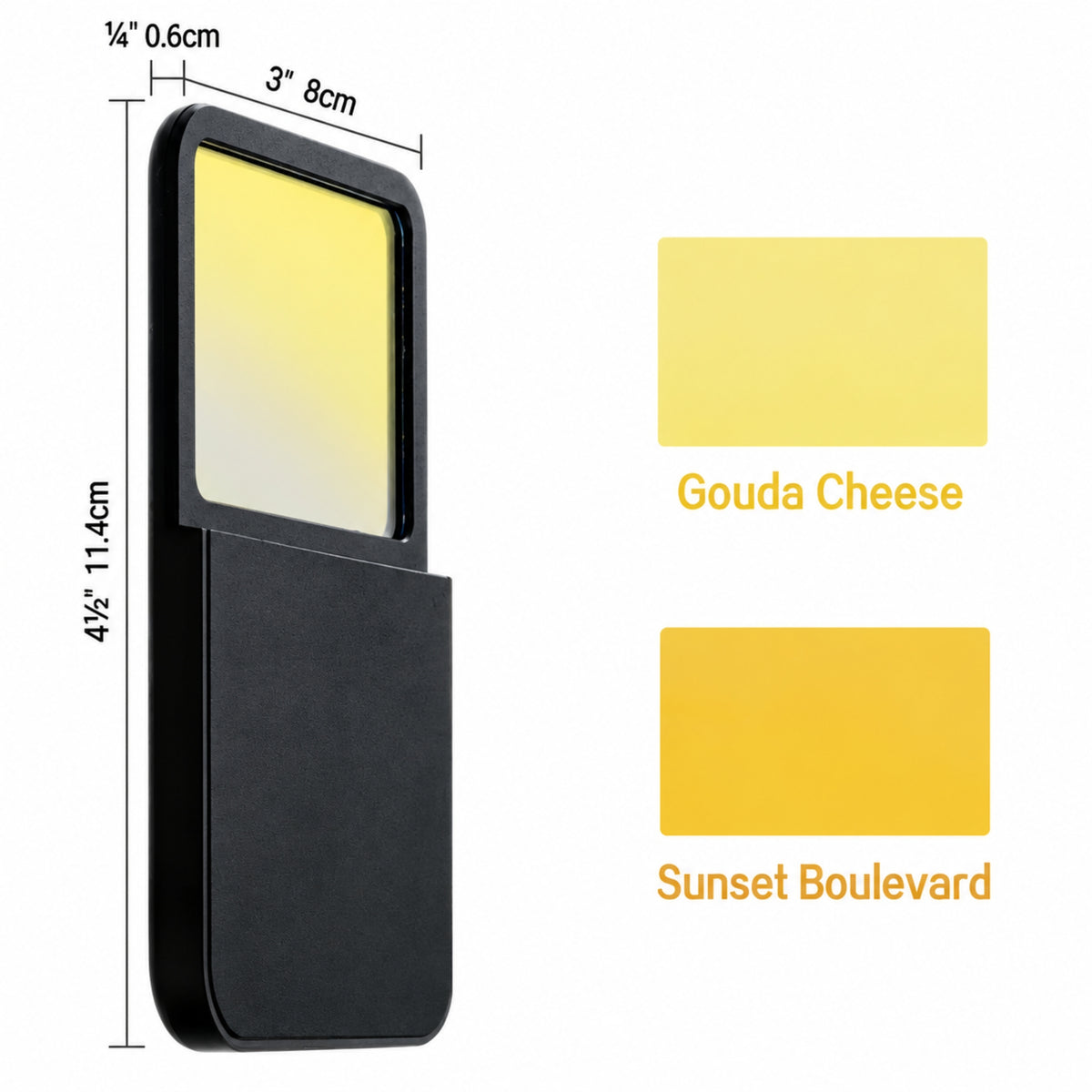
The TrueReef Filter Lens helps correct this by reducing excess high-energy blue light while keeping the fluorescent detail that reef keepers want to capture. The Android version is designed with a larger coverage area to suit the wide variety of Android camera sizes and positions, helping users achieve cleaner, frame-free aquarium photos when the lens is correctly fitted.
Benefits for Reef Aquarium Photography
Taking clear reef aquarium photos can be difficult because blue LED lighting often overwhelms a phone camera sensor. Standard filter lenses can help, but many remove too much of the blue spectrum, which can dull the coral fluorescence that makes reef photography so appealing.
Maxspect TrueReef Filter Lens - Android is designed to give a more balanced result. It helps reduce the unwanted blue cast while allowing coral colours, fluorescence, texture and contrast to remain visible. This makes photos more useful for livestock listings, coral sales, social media posts, progress shots and general aquarium documentation.
Suitable For
Maxspect TrueReef Filter Lens - Android is suitable for:
- Reef aquarium photography
- Coral photography
- Marine fish photography
- Frag photography
- Aquarium shop product images
- WYSIWYG coral images
- Reef tank progress photos
- Social media content
- Online livestock listings
- Blue-lit marine aquariums
- Compatible Android phones
- Aquarists wanting cleaner phone photos under reef lighting
This lens is especially useful for reef keepers, coral retailers, marine aquarium shops and hobbyists who regularly photograph aquariums under blue LED lighting.
How It Works
The Maxspect TrueReef Filter Lens uses a specialised blue filter monomer coating. Instead of simply blocking large amounts of blue light like many traditional aquarium filters, it reflects a percentage of high-energy visible blue light while helping preserve the fluorescent effect created by near-UV aquarium lighting.
This allows the phone camera to capture a more balanced image, reducing the strong blue cast without making corals look flat, dull or unnatural.
Android Compatibility
Maxspect TrueReef Filter Lens - Android is designed for Android phones with varied camera layouts and lens sizes. The larger coverage area helps the filter work with different camera positions, helping reduce the chance of the filter frame appearing in the photo when fitted correctly.
Because Android phones vary greatly in camera shape, lens spacing, case thickness and camera bump design, compatibility should always be checked before use. Thick cases, raised camera protectors, tempered glass protectors or unusual camera layouts may affect attachment, alignment or image framing.
Installation Methods
Maxspect TrueReef Filter Lens - Android offers three installation methods depending on the phone and case setup:
- Phone without a case
- Phone case with magnetic ring
- Phone case without magnetic ring
Choose the fitting method that best suits the phone and case being used. Always make sure the filter sits flat, covers the active camera lens fully and does not obstruct the image frame before taking final photos.
How to Use
Attach the Maxspect TrueReef Filter Lens to the Android phone using the most suitable fitting method for the device and case.
Position the lens carefully so it fully covers the active camera being used. Open the camera app, focus on the coral, fish or aquarium subject, and take test shots before capturing final images.
For best results, hold the phone square to the aquarium glass, keep the lens clean and avoid shooting at a strong angle through the glass.
Photography Tips
For clearer aquarium photos, position the Android phone perpendicular to the aquarium glass. This helps reduce distortion, glare and reflections.
Clean the outside glass before taking photos and reduce room lighting where possible. If the aquarium lighting is extremely blue, slightly lowering deep blue and royal blue channels while increasing warm white light can help produce a more balanced image.
Use tap-to-focus on the coral or fish, keep the phone steady and avoid excessive digital zoom. Keep ISO below 800 where possible to reduce image noise, and use exposure adjustment if the image is still too bright under strong reef lighting.
When to Use
Maxspect TrueReef Filter Lens - Android is useful when:
- Reef aquarium photos look too blue
- Coral fluorescence is difficult to capture accurately
- Fish or corals appear washed out under LED lighting
- Product photos need cleaner colour balance
- WYSIWYG coral photos need better visual accuracy
- Social media reef photos need a more polished look
- Aquarium shop images need improved consistency
- Blue reef lighting is overpowering the phone camera
- Android camera layouts need a larger coverage filter
- You want quick phone photos without complex camera settings
Reef Aquarium Benefits
For reef keepers, accurate photography is more than just making images look attractive. Good photos help track coral growth, document colour changes, record livestock condition and present products more clearly for online listings.
The Maxspect TrueReef Filter Lens helps make aquarium photography faster and easier, especially in blue-lit reef systems where phone cameras often struggle. By improving colour balance while preserving fluorescence, it helps corals and marine aquariums appear closer to how they look in person.
Care and Maintenance
Keep the lens clean, dry and free from salt spray when not in use.
Wipe gently with a soft lens cloth to remove fingerprints, dust or dried salt marks. Avoid abrasive cloths or harsh cleaning chemicals, as these may damage the glass or coating.
Store the lens safely after use to prevent scratches or accidental damage.
Compatibility Advice
This listing is for the Android version of the Maxspect TrueReef Filter Lens.
It is not the iPhone version. Customers using iPhone 12 or newer models should choose the correct iPhone-compatible version instead.
Android compatibility depends on the phone model, case design and camera layout. Clipping or attachment methods may scratch phone surfaces if used carelessly, particularly on devices with tempered glass protectors or protective cases. Always check alignment and fit before use.
Product Details
Product: Maxspect TrueReef Filter Lens - Android
Brand: Maxspect
Product Type: Aquarium photography filter lens
Phone Compatibility: Compatible Android phones
Attachment Style: Multiple Android installation methods
Lens Type: TrueReef filter lens with blue filter monomer coating
Body Material: Lightweight plastic
Lens Material: High-quality glass
Use: Reef aquarium, coral and marine fish photography
Best For: Reducing blue cast while preserving coral fluorescence
Suitable For: Reef keepers, coral retailers, aquarium shops and marine hobbyists
Why Choose Maxspect TrueReef Filter Lens - Android?
Maxspect TrueReef Filter Lens - Android is a smart choice for reef keepers who want clearer, more natural aquarium photos without losing coral fluorescence. Its blue filter monomer technology is designed to reduce excess HEV blue light while maintaining the vivid colour pop created by reef lighting.
With a larger coverage area for varied Android camera setups, high-quality glass lenses and flexible fitting methods, it offers a practical solution for everyday reef photography. Whether photographing corals for sale, capturing fish, documenting tank progress or creating social media content, this lens helps make blue-lit aquarium photos easier and more consistent.
Recommended For
Maxspect TrueReef Filter Lens - Android is recommended for marine aquarists, coral collectors, reef shops and hobbyists who want better phone photos under blue aquarium lighting. It is ideal for coral photography, WYSIWYG livestock images, reef tank displays, frag systems and social media content where colour accuracy and fluorescence are important.
Order and get 35 reward points
Earn points by signing up for our rewards program